Barrovía · HydroVac closeout workflow
HydroVac Job Management Software
Bring HydroVac job details from field closeout to office review, customer approval, and a billing-ready handoff.
Barrovía keeps the closeout and final work report together for office review. A “Ready to bill” status marks a handoff so the office can continue its ERP billing process.
Pilot requests are reviewed on the request page.
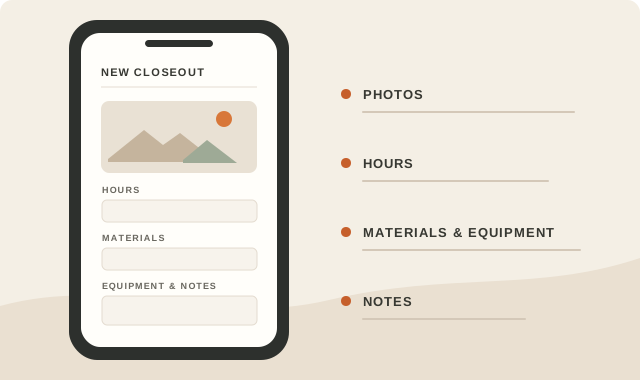
Field to office
One closeout, reviewed from the jobsite to the office.
- 01
Capture the field closeout
Keep job photos, hours, materials, equipment, and notes together in the HydroVac closeout.
- 02
Review it in the office
Review closeout details and the final work report before it is shared.
- 03
Record customer approval
Give the customer a review step and keep their approval with the job record.
- 04
Hand off a billing-ready job
The demo shows a closed job marked “Ready to bill” for the office to continue in its ERP billing process.
“Ready to bill” is a handoff status for the ERP process. The workflow shown does not create an invoice or collect payment.
Product walkthrough
See the closeout move through review.
Captions describe the screens shown; there is no spoken dialogue. The final status is ready for the ERP billing process, and no invoice or payment is shown.
Visual transcript
00:00–00:04
Silent walkthrough · synthetic demo job. Field closeout details appear in the mobile form.
00:04–00:08
Office review · the confirmed closeout and saved final work report are shown.
00:08–00:11
Customer approval · the public review page shows the demo job as approved.
00:11–00:15
Billing ready · the job list shows Closed and Ready to bill for the ERP process. No invoice or payment is shown.
For HydroVac owners, operations leads, and supervisors
Put your field-to-office workflow into a pilot.
Share the HydroVac jobs your team handles. The request page explains the current pilot scope and terms.