Field capture
Office review
A closer look
Four stages of one HydroVac closeout.
From planned scope to a job file ready for the ERP.
New to Barrovía? Follow a HydroVac job from setup through field capture, office review, customer approval, and billing validation. Spoken narration and the six-step guide follow the same five-minute walkthrough. Sample records are synthetic; Barrovía does not automatically issue invoices or collect payment.
00:00–00:35
One job record
Barrovía keeps a HydroVac job’s operational record together from setup through field closeout, office review, and customer approval. Teams use it to capture what happened and check the work before handing a completed job back to the office. The office continues billing in its ERP; Barrovía does not automatically issue an invoice or collect payment. This walkthrough uses clearly marked sample information, not a real customer job.
00:35–01:15
Create the job and plan its scope
From Jobs, choose Create job. Enter the job code, customer name, site name, and job address. In Planned scope, summarize the work expected before the crew arrives: the requested work, limits, site access, and known constraints. Keep it specific enough to guide the crew and give the office a reference. Assign a supervisor and crew responsibility if appropriate; the crew entered later in the closeout records who actually worked. Save the job to create its draft closeout. If device location is available, capture it on site; otherwise keep the address as the location reference.
01:15–02:10
Capture the field record
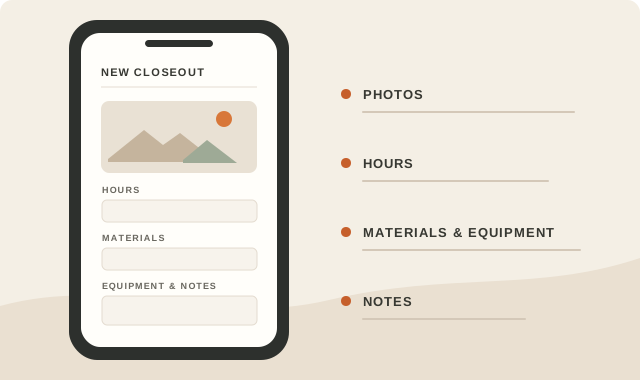
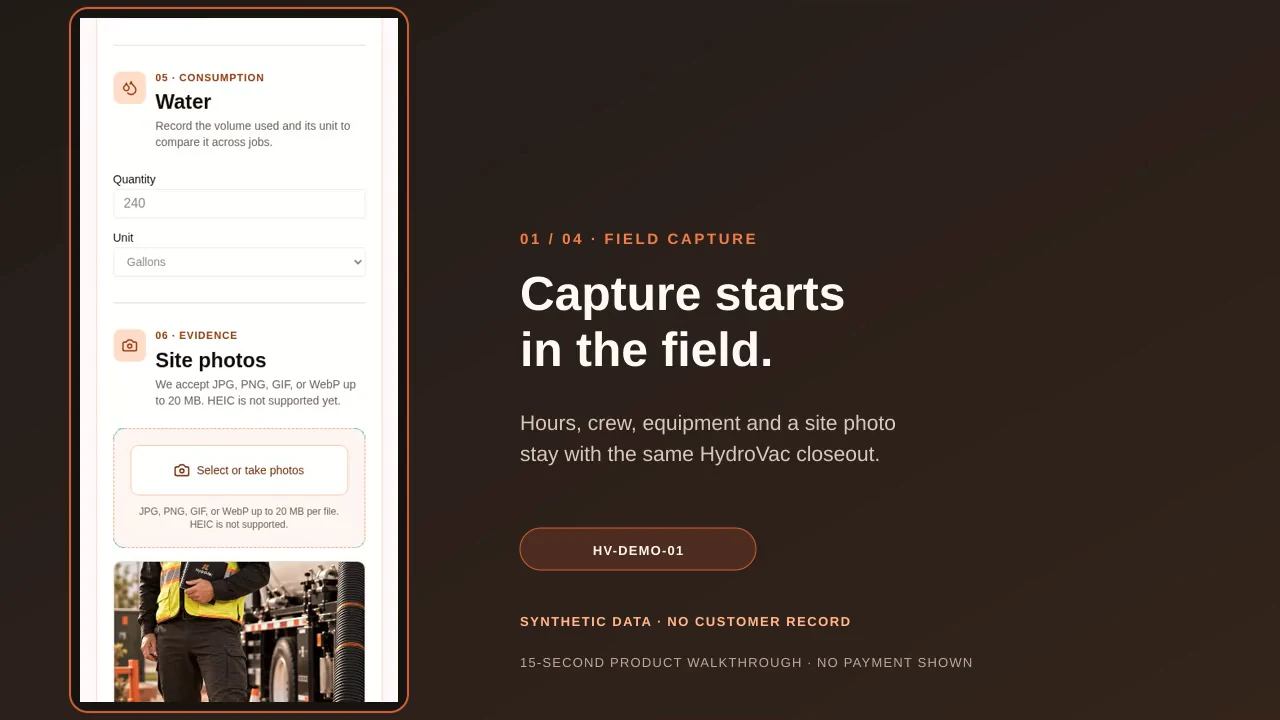
Open the job and complete its field closeout as work proceeds. Record total labor hours and list each crew member with their role. Add each piece of equipment and its usage hours, then enter materials with quantities and units. Record the water amount and unit. Capture the worksite location from the device when possible and attach photos that document the work. Add safety notes for site conditions, precautions, or follow-up in the closeout notes and safety review. Keep each item with this job rather than leaving it in separate messages. Before sending the record to the office, scan the fields and mark anything that still needs confirmation.
02:10–03:20
Review, correct, and finalize
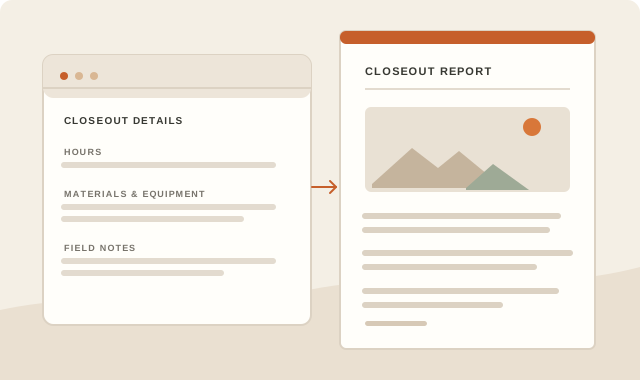
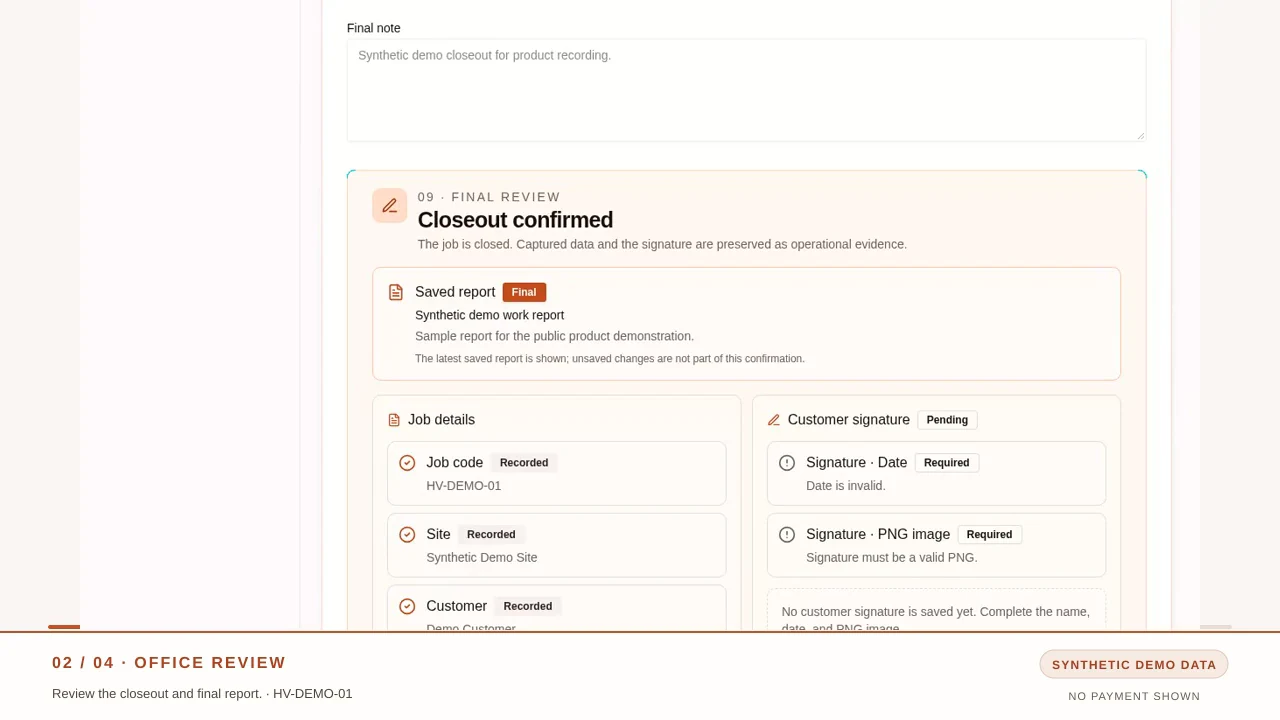
Back in the office, open the same job. Review the saved closeout alongside its operational report. Check hours, crew, equipment, materials, water, location, photos, and notes against the planned scope and the evidence in the record. Look for empty critical fields, totals that do not agree, or notes that conflict with the recorded work. The report is a working document: correct missing or outdated details, save the revision, and read it again. If evidence is absent, return the job to the field team instead of filling a gap by guessing. When the closeout and report are complete, confirm the required information and finalize the job. Finalizing preserves the reviewed closeout and report. Customer approval is still a separate step, and this does not create an invoice.
03:20–04:05
Record customer approval
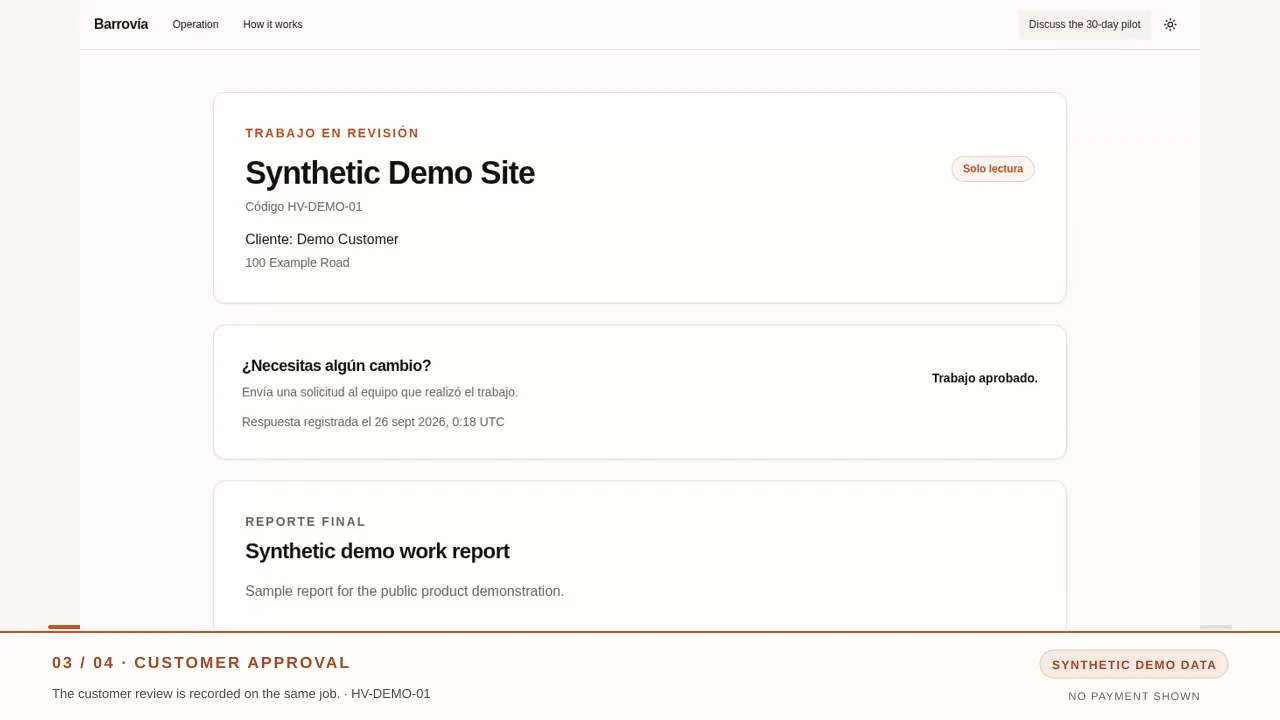
After office review, share the customer review link for this job. The customer sees a read-only work record and can confirm acceptance or ask the office to make a correction. Record the customer’s name and approval date, then use the available confirmation or signature option. The approval stays with the same job file, beside the closeout and final report. If the customer asks for a change, keep the job in review and resolve that request before treating it as approved.
04:05–05:00
Validate and hand off to the ERP
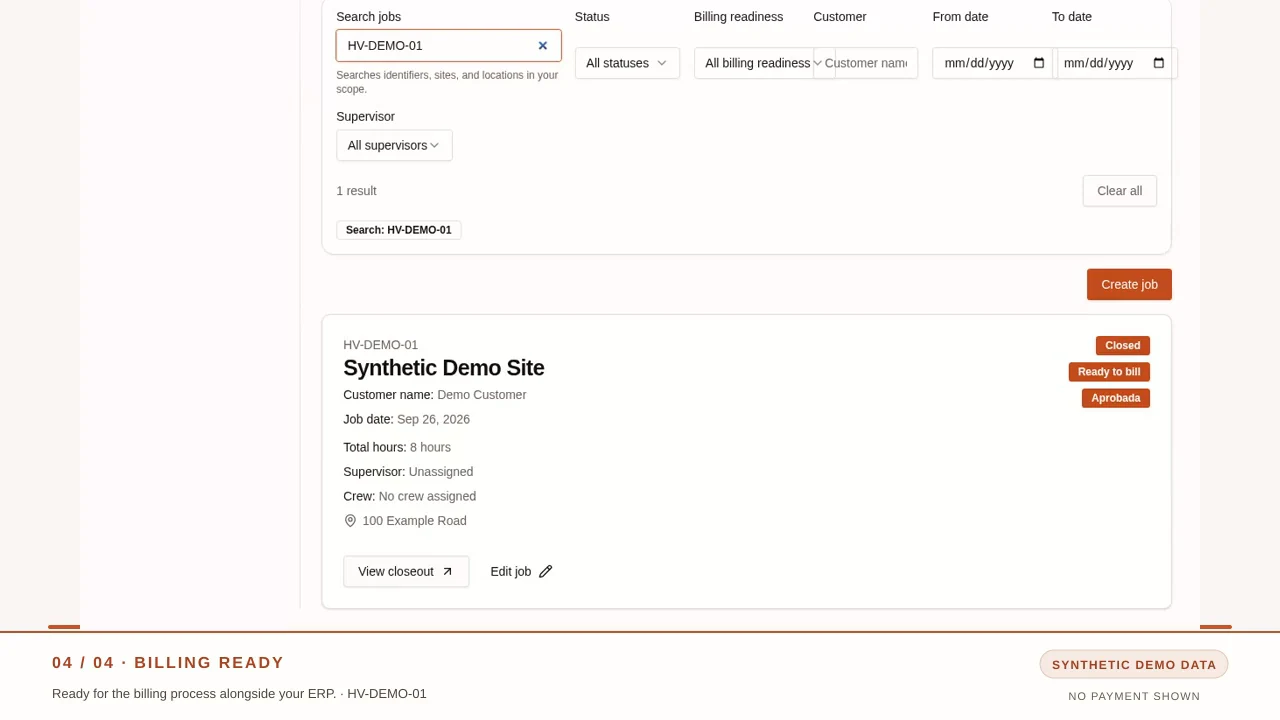
Before handoff, review the saved quantities and the validation checklist. Confirm the values for hours, crew, equipment, materials, water, the report, and customer approval; check any flagged mismatch and correct the source record. When the closeout is final, customer approval is recorded, and validation is complete, the job can show Ready to bill. That status means the completed job file is ready for the office to continue its existing ERP billing process. Barrovía does not generate an invoice automatically, send a bill from your ERP, or charge the customer’s payment method. Your office chooses when and how to bill.
Prefer the quick visual? Watch the 15-second silent demo.
Captions describe the screens shown; there is no spoken dialogue. The final status is ready for the ERP billing process, and no invoice or payment is shown.
Visual transcript
00:00–00:04
Silent walkthrough · synthetic demo job. Field closeout details appear in the mobile form.
00:04–00:08
Office review · the confirmed closeout and saved final work report are shown.
00:08–00:11
Customer approval · the public review page shows the demo job as approved.
00:11–00:15
Billing ready · the job list shows Closed and Ready to bill for the ERP process. No invoice or payment is shown.
First paid HydroVac pilot
$499 USD · one-time fee · 30 days · up to 3 jobs
Sending a free review request does not start the pilot, initiate checkout, or take payment.
Product screenshots from a synthetic demo job. The final status is ready for the ERP billing process; no invoice or payment is shown.
01 / HydroVac closeout
Field capture
Capture water use and site photos in the mobile closeout.
02 / HydroVac closeout
Office review
Review the confirmed closeout and saved final work report.
03 / HydroVac closeout
Customer approval
The public review page shows the synthetic demo job as approved.
04 / HydroVac closeout
Ready for billing
The job is ready for the ERP billing process. No invoice or payment is shown.
01 / HydroVac closeout
Follow the job record from field capture through office review and customer approval.
HydroVac closeout from field capture to billing-ready file.
Barrovía is built around HydroVac closeout—not general-purpose job management. Capture voice notes and photos alongside hours, crew, equipment, water, materials, job location, and safety details. Carry the record through office review and customer approval to a billing-ready job file. It complements your ERP; it does not replace it.
Compare Barrovía with NetSuiteOne HydroVac job file for the handoff.
Field details stay with the job
Keep voice notes, photos, and operating details together for review.
A handoff that fits your current systems
Use Barrovía alongside your ERP while the office keeps its existing process.
A HydroVac closeout workflow that works alongside your ERP.
View the $499 pilot terms02 / One workflow, four moments
Information moves with the work.
One job moves from field capture through office review and customer approval to a file the office can use for its billing work.
Field capture
Bring job details from the site into one HydroVac closeout.
Office review
Keep photos, hours, materials, equipment, and notes together for review.
Customer approval
Keep the approval with the closeout as the job moves through review.
Billing-ready job file
Give the office a reviewed job file to continue its billing process.
First paid HydroVac pilot
$499 USD · one-time fee
30 days · one HydroVac company · up to 3 jobs
Use up to three jobs to see whether field capture, office review, and a billing-ready handoff fit your current workflow alongside your ERP.
Integrations and custom development are not included.
Pay the $499 USD one-time fee through hosted checkout, or submit a free request for review. Sending that free request does not start the pilot, initiate checkout, or take payment. If approved, a separate $499 USD invoice is sent before the 30-day pilot begins.
Request the $499 pilot.
See how field capture, office review, and a billing-ready handoff fit your HydroVac work in a focused paid pilot.
First paid HydroVac pilot
$499 USD
One-time fee
30 days
Pilot length
Up to 3
HydroVac jobs
For supervisors
Visibility for a reviewable closeout
Hours, photos, materials, equipment, and signature stay in one closeout for supervisor review.
For the office
A clearer office handoff
Information arrives organized for the office without rebuilding the day from messages.
Pay by card
One-time payment · $499 USD
This opens Stripe-hosted checkout. It does not submit the free request form below.
Request for review
Request a free review
$499 USD · one-time fee · 30 days · one HydroVac company · up to 3 jobs
Use up to three jobs to see whether field capture, office review, and a billing-ready handoff fit your current workflow alongside your ERP.
Integrations and custom development are not included.
Tell us about your HydroVac work. We’ll review this free request before a pilot begins. Sending it does not start the pilot, initiate checkout, or take payment. If accepted, we’ll send a separate $499 USD invoice before it starts.
You don’t need an account or payment details to submit a request.